I’ve been wanting to learn Flutter for a few months now, but hadn’t got the time for it. After graduating from the course I was taking, I finally saw an opportunity. And my dad gave me a good idea for a learning project: a simple work order manager. It’s basically a to-do list on steroids.
I started the project by talking to some friends about how they organise their work, then drafted some initial ideas. The initial plan was to have the work orders grouped in a kanban table, with tabs for listing materials and services. I showed the idea to some potential users, and they didn’t quite like it. They found it needlessly complicated.
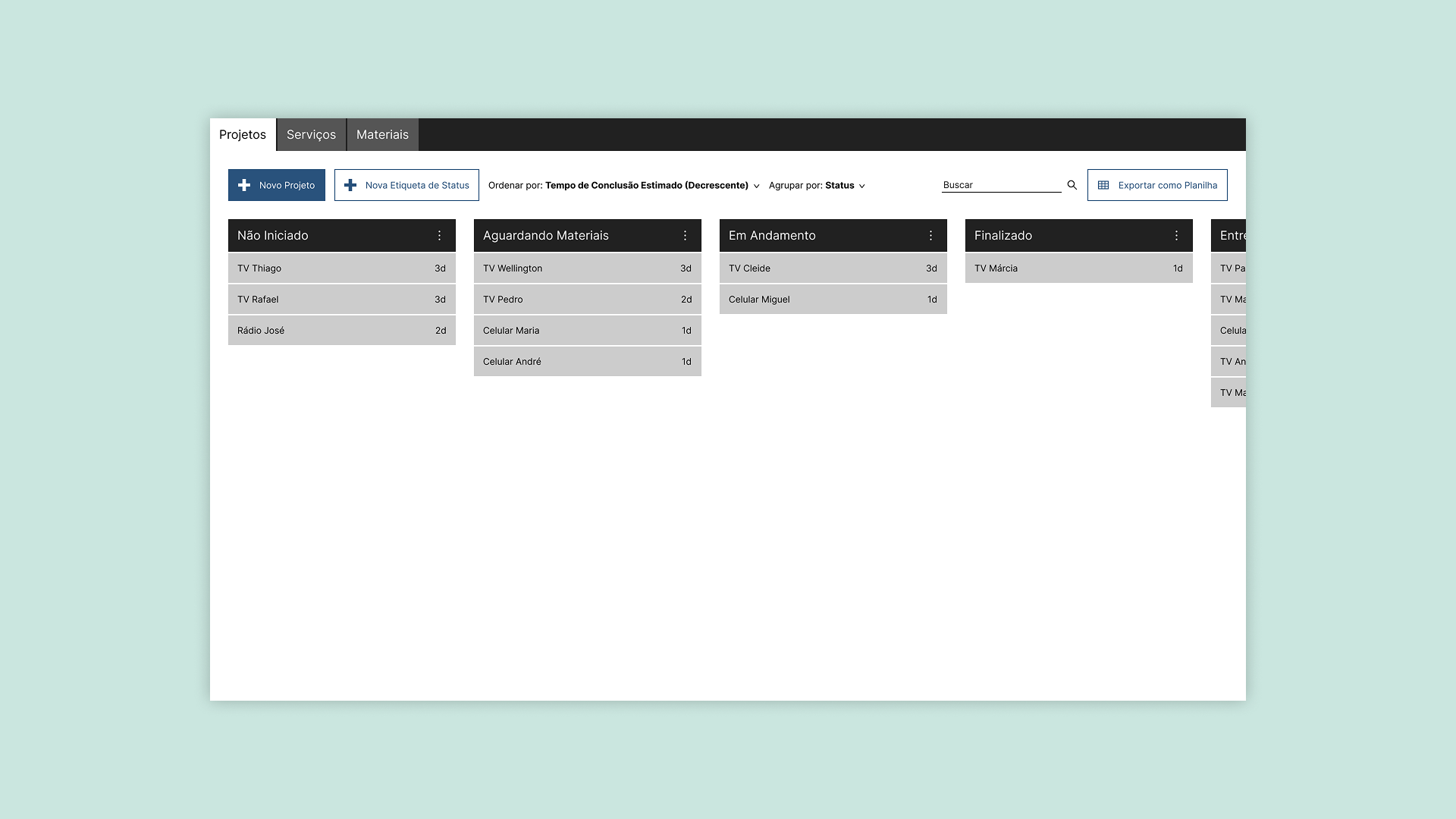
The first prototype
Perhaps the core precept of design thinking is treating every step of the project as a prototype. That involves asking for feedback on every change. In line with this, I continued iterating on different ideas, and presenting them to the users.
One iteration had the work orders displayed in a grid, with the selected order open in a smaller pane on the right side of the screen.
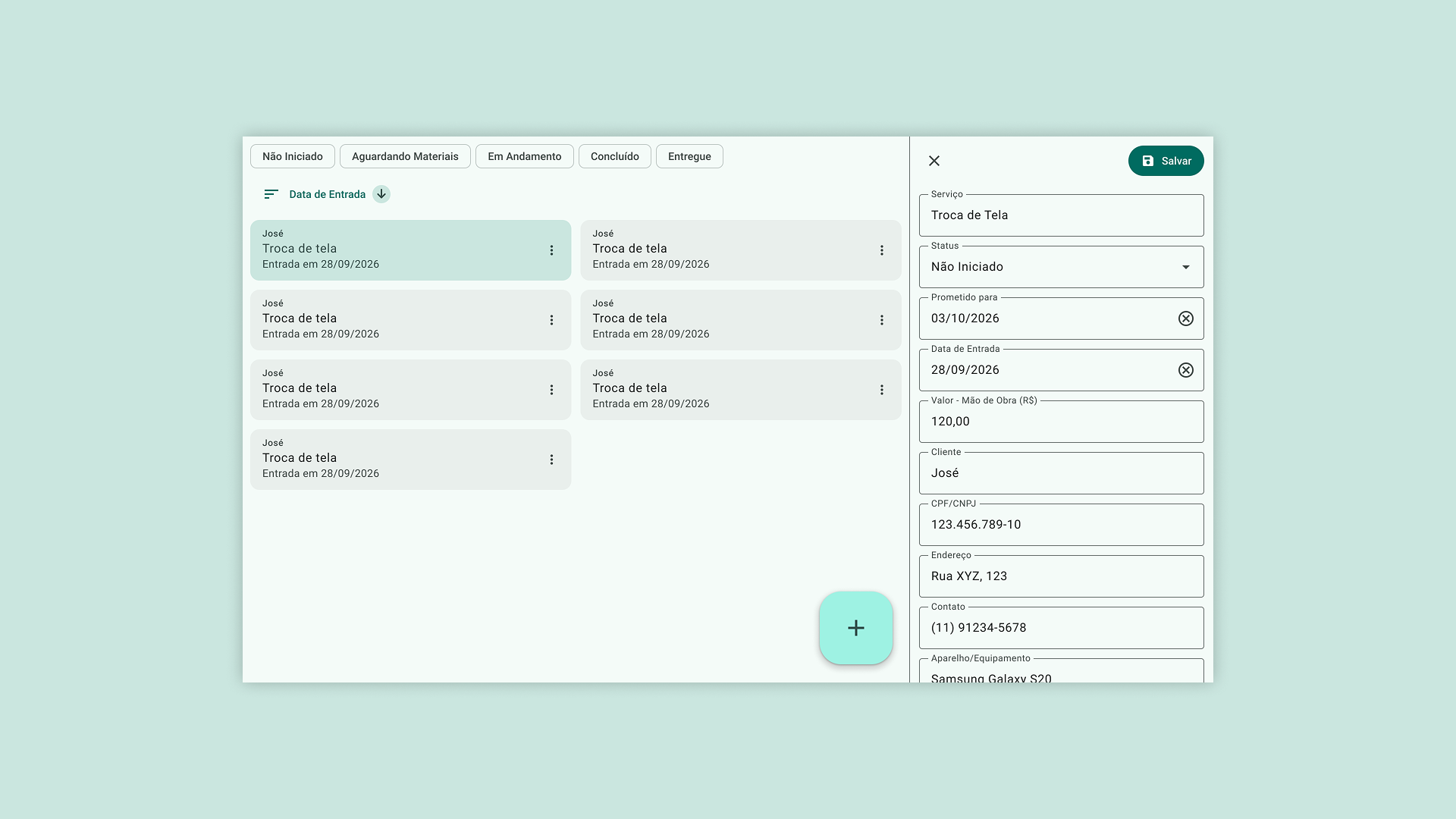
Grid view prototype, now using Google's Material 3 design system.
Users were quick to point out that what mattered the most to them was the open work order, not the many closed ones. They also thought the purpose of the large add button wasn’t very clear. Back to the drawing board it was.
The last design gave more focus to the work order form, limiting the list to a small portion of the screen. It also labelled the add button more clearly.
Latest prototype as of writing.
After every redesign, I conducted a heuristic evaluation on the app, applying changes to comply with usability guidelines.
Of note, were changes to the colouring of the work orders in the list to indicate which one is open, along with a small check mark signalling finished jobs and a double check mark on delivered ones.
Keyboard shortcuts also allow experienced users to work faster. I included basic, industry standard shortcuts, such as ctrl + n to create a new work order and ctrl + s to save.
I also added the ability to undo the deletion of parts/materials, giving users an escape hatch for that destructive action, and confirmation dialogues for deleting a work order or closing the main form with unsaved changes, minimising the chance of user errors.
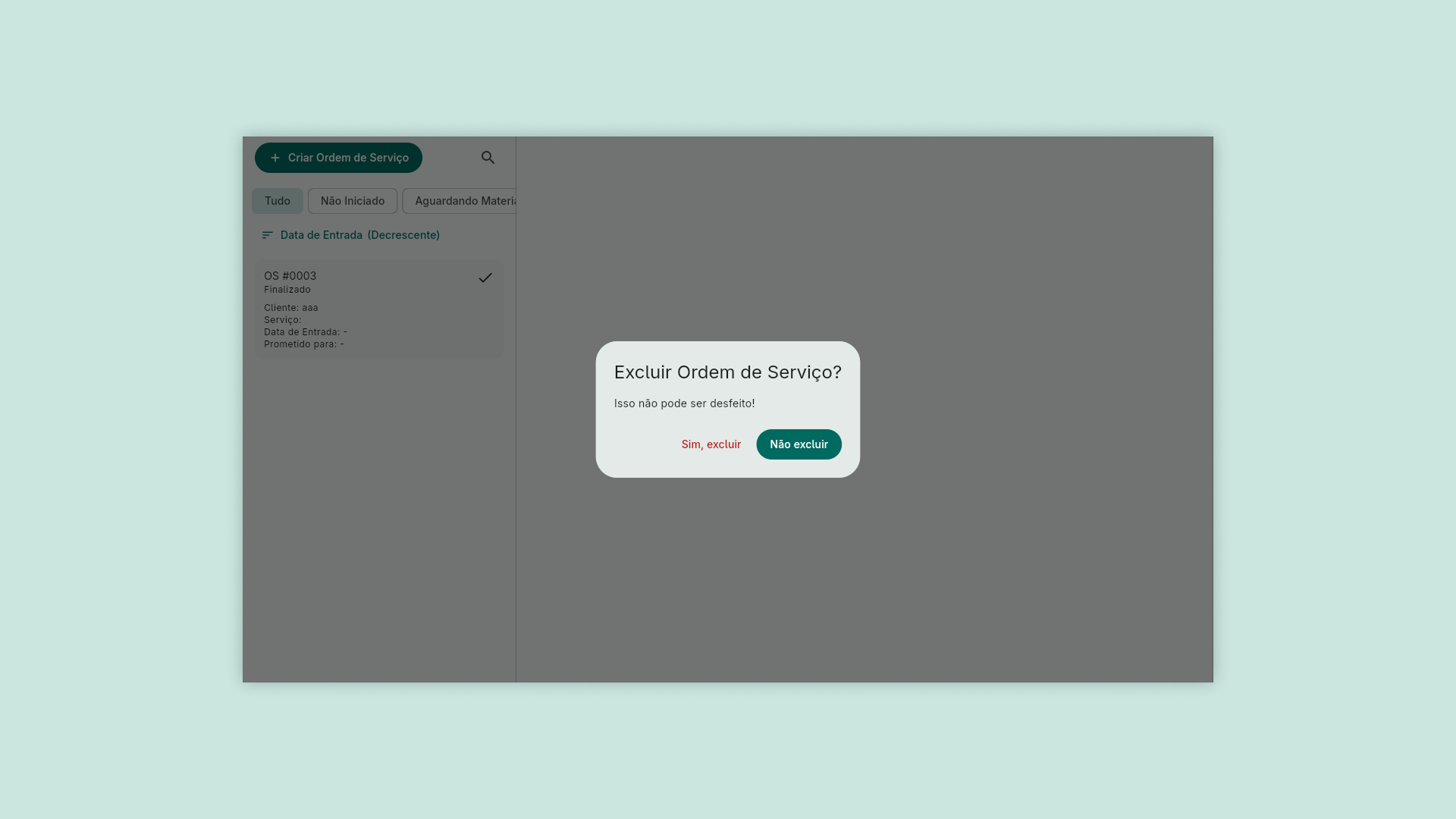
Deletion alert dialogue. Notice how the confirm deletion button is red, and the cancel button more prominent.
The app was developed with the Flutter SDK, using an sqlite database and Riverpod for state management.
Development is ongoing, as I plan to add more features to cater to the needs of other service providers besides repairmen.